Boom!
Boom! is a fun Mine Sweeper style game for iPhone and iPod Touch.
Find all safe areas in a mine field, without touching any bombs. Suspected bomb locations can be flagged and are safe to touch while flagged. If you do touch a bomb, then it's game over and try again!
Version 2.0.2 is available from the iTunes App Store now!
- 8 board sizes and 6 bomb difficulty levels for each board size. The size and difficulty level can be set in the game's settings screen and are saved on exit.
- Boom! will never reveal a bomb on the first-touch, the stats be filled with single-touch losses!
- Game preferences and game states are saved on exit and restored on game start.
- Statistics of the games played are saved. For each board size and difficulty level the wins, losses and best times are kept and displayed in Boom!'s statistics screen.
- You can double-tap to reveal a cell for safer minesweeping
- Press and hold option to flag or unflag suspect cells (long half second or short quarter second)
- A reorganized preference screen.
- A new help email address: helpme [at] playspel [dot] com with a button in the game's help and app-internal email form.
- Facebook connect is also used to allow you to write your wins on your wall with more network features on the way!
- You can upload screenshots to Facebook and also save them to your iPhone or iPod Touch photo album for easy sharing by email or MMS.
- You can enable individual sounds, if you don't want to hear the mine explode then just disable the explosion sound!
- A free reduced version of Boom! called Tiny Boom! (now updated to v2 also) is available from the iTunes store! Try the interface and some simple grids and if you want more you can buy Boom! for just $0.99US!
Become a fan on the Boom! Facebook page
Follow Boom! on Twitter: twitter.com/minesweeperboomLet us know what you think!
|
|
Buy now for only $0.99US!
Become a fan on the Boom! Facebook page
Follow Boom! on Twitter: twitter.com/minesweeperboomLet us know what you think!
|
How to play
The game is played by selecting covered tiles and then picking other safe tiles to reveal by looking at the bomb numbers indicated on the revealed tiles.
Arrows on the edge of the game board mean there are more cells in that direction that you can scroll/drag to.
The interface
 |
The cog takes you to the settings, help, Facebook and statistics screens. |
 |
Starts a new game, loses the current game if there is a game in progress. |
 |
Toggles between play mode and grid overview mode, only in play mode can you touch cells. In zoom mode a red overlay can be moved to select an area to zoom to in play mode. |
 |
Toggles between flag mode and play mode. During flag mode all covered cells turn green and you can then either remove a flag or set a flag. When a flag has been set you can touch that cell safely. In addition to using flag mode to set flags you can also use hold-to-flag mode (set in settings screen). |
 |
Shows how many seconds you've been playing the current game. |
 |
Shows how many flags you've used. You can use as many flags as there are bombs. |
|
|
Tile Descriptions
|
Screenshots
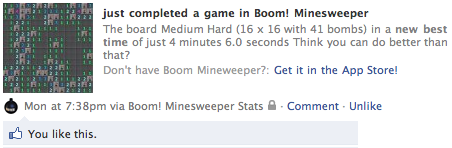
Boom! Minesweeper winning game Facebook wall post
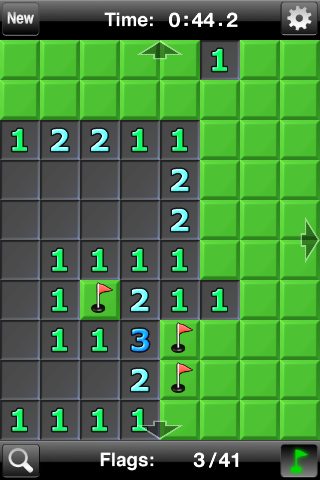
Game in flag mode
|
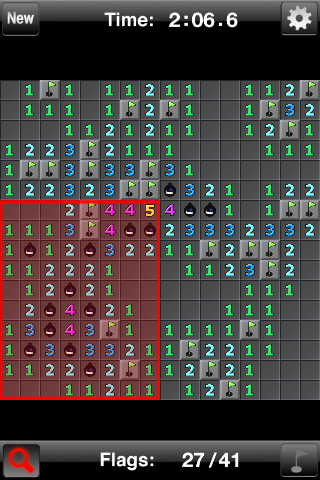
Game zoomed to view whole grid
|
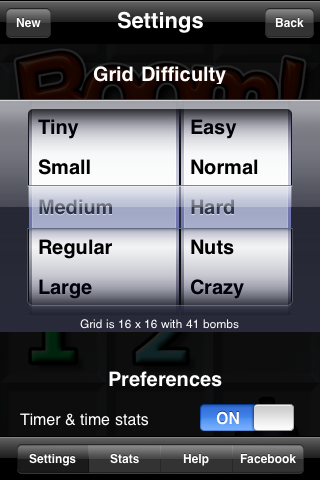
Settings screen at grid picker
|
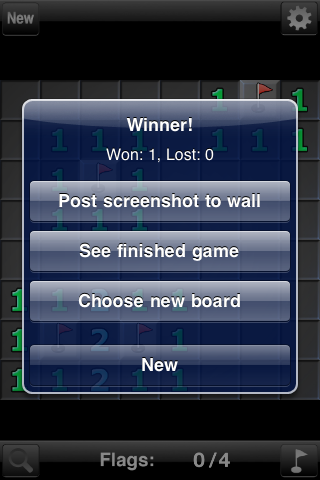
Game post-win choices
|
|
|